
Home » Creating Custom Groups
 

Custom groups settings

Custom Group Settings allow technicians with administrator role access to make the custom groups they create accessible to all scoped technicians, based on their assigned scope. These settings help streamline the deployments across different technician scopes. When enabled, scoped technicians can view and use custom groups created by administrators limited to the resources that fall within their assigned scope.

To enable custom group settings,
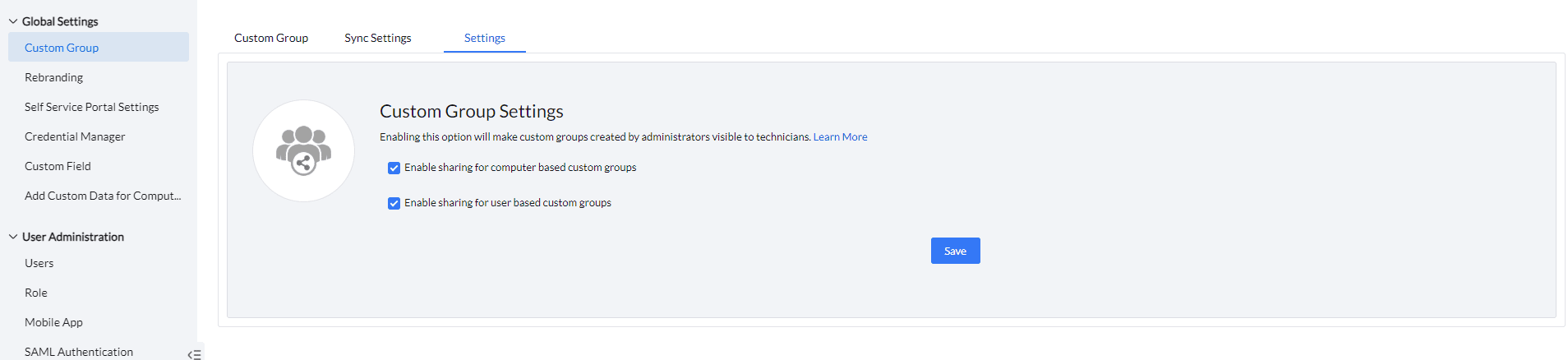
  • Navigate to Admin > Custom groups > Settings
  • Enable sharing for Computer or User based custom groups.

Custom groups settings

Note:

  • A scoped technicians cannot use the shared Custom groups in the security policies.
  • A scoped technician cannot access or view custom groups created by another scoped technician, even if custom group sharing is enabled.
  • A custom group created by an technician with administrator role cannot be viewed by a scoped technician if the setting is disabled.
  • Custom group settings can be modified only by technician with administrator role.